
LOOKING FOR AN EASIER WAY TO CONFIGURE AUTOMATIONS?
NOW IT’S RIGHT ON YOUR SMARTPHONE
Speeds, operating times, logics, dip switches, outputs.
With TauApp 2.0 + BLUEWAY, you can configure and modify the main settings of TAU products directly from your smartphone or PC.
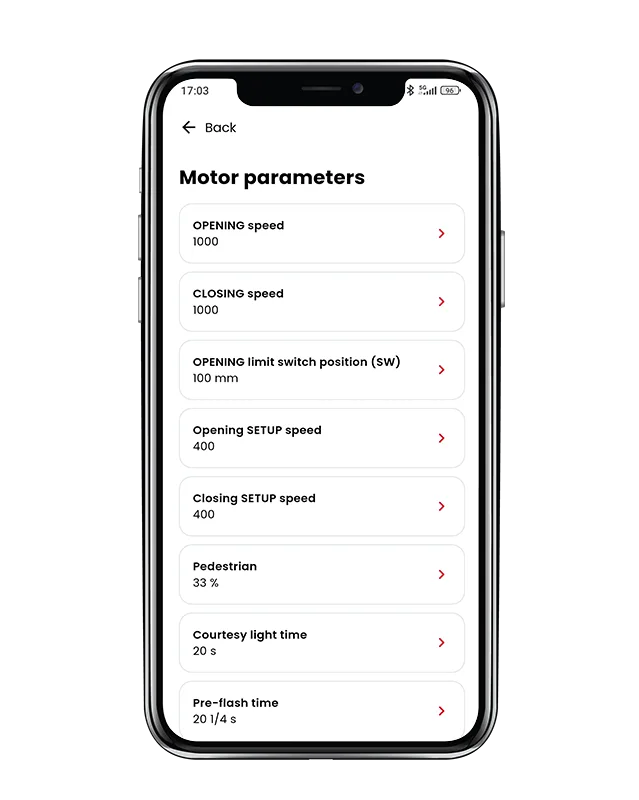
MODIFY MOTOR PARAMETERS
Select the parameter you want to change, set the desired value, and upload it directly to the control unit.
In just a few steps, you can adjust the parameters available for the connected product, without having to navigate through the control unit menus.
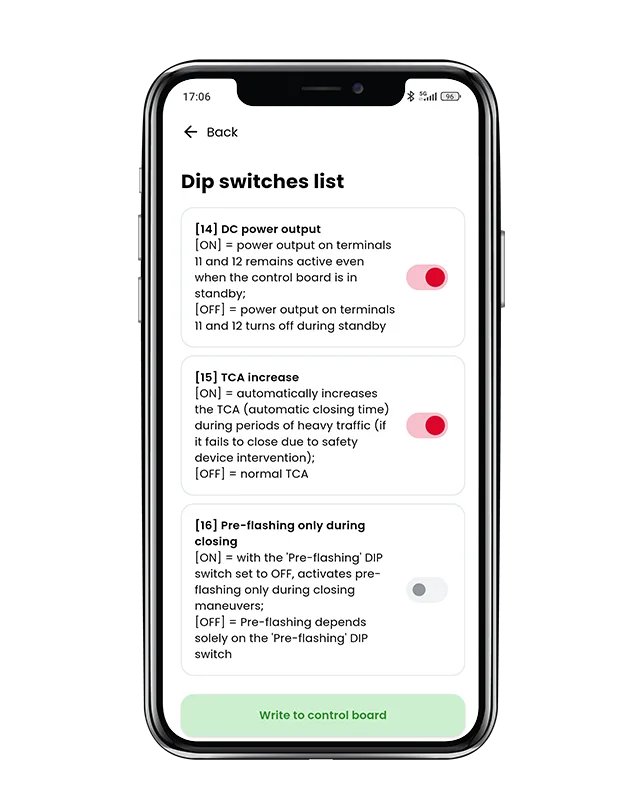
CONFIGURE VIRTUAL DIP SWITCHES
Virtual dip switches are available directly within the App.
You can view their status and enable or disable them simply by selecting the corresponding command.
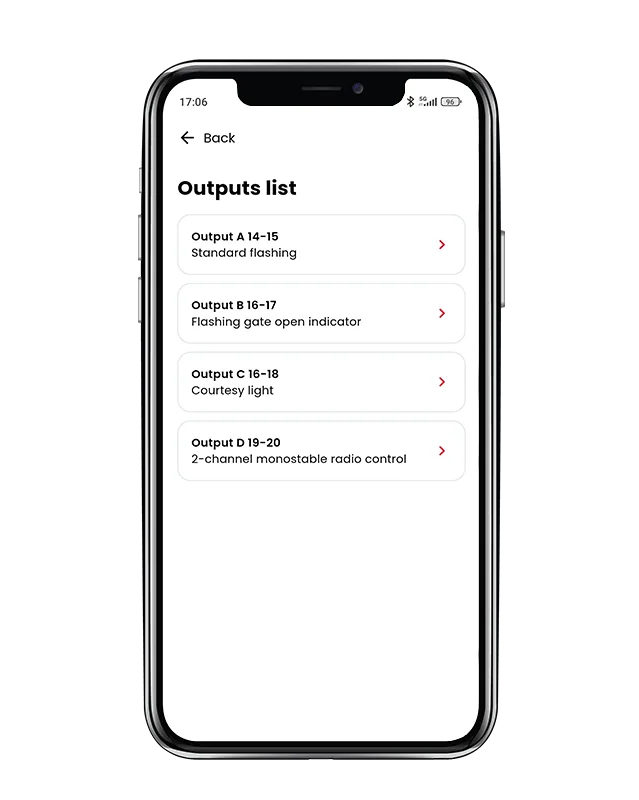
MANAGE OUTPUTS
TauApp 2.0 also allows you to view and modify the configurable outputs available in the product, selecting the desired function directly from the App.
CLEARER INFORMATION, SIMPLER CONFIGURATION
One of the key innovations in TauApp 2.0 is the way information is presented.
Descriptions for parameters, dip switches, and outputs have been made simpler, clearer, and more intuitive compared to the previous TauApp, allowing you to easily find the function you are looking for and configure the automation with greater immediacy.